
Your stay
How-to
Ask for Room Service without an account
Use your mobile number on our website to ask for a service for your room. No account is needed.
Who can do this: Guest
Updated 21 Oct 2026
You can ask for room service on our website. You do not need an account. You only need the mobile number you gave when you checked in.
Before you start
- You must be checked in. A booking that has not started or has ended does not work.
- Use the same mobile number you gave us.
- The list of items is the same as in the guest portal.
Steps
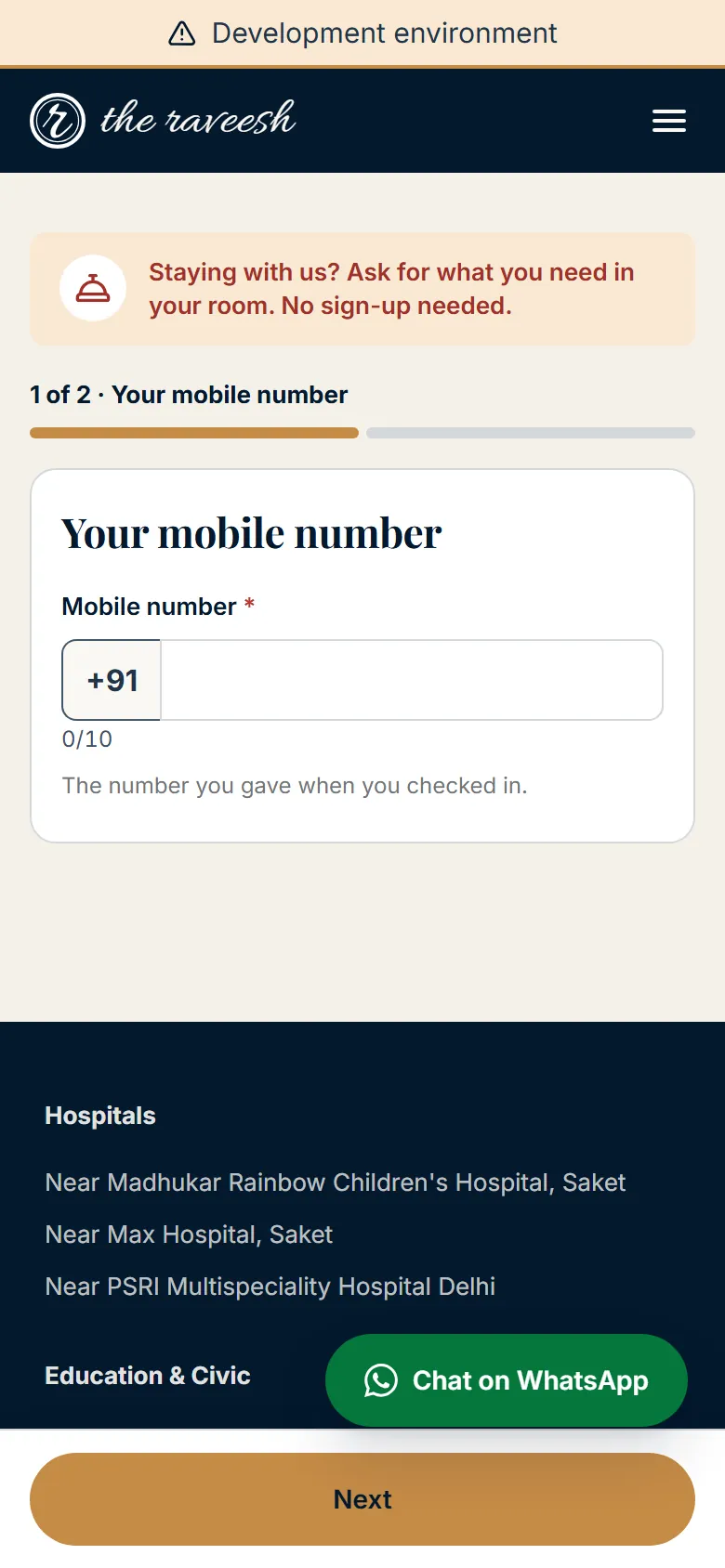
The top of the screen names the step, for example 2 of 3 · Choose your room. Back keeps what you typed.
Find your stay
- Open Room Service from the menu of our website.
- Type your mobile number. It shows as 5 digits, a space, then 5 digits.
-
Tap Next.
If we cannot find a current stay, the screen says We couldn't find a current stay for this number. It gives our phone number. The message is the same for every reason, so it does not tell anyone who is staying.
Choose your room
- Pick your room from the Room list.
- Tap Next.
You see this step only when you have more than one room. A linked room of the same stay is on the list. With one room, we skip this step.
Choose a service
- Search for the item under What do you need?. You can also pick a category.
- Tap the item. A paid item shows its price. A free item says Complimentary.
- Enter the Quantity.
- Type a Note (optional) if it helps.
- Tap Send request.
After you send
- Read Your request has been sent. It shows your reference, your room and the service.
- Tap Create account to follow the request and your bill.
- Fill in the form that opens in the card.
What happens next
- On the Create account card, Already have an account? Log in opens the Sign in tab.
- Maybe later closes the form.
- Our team gets your request on the Task Board, the same as a request from the guest portal.
- A team member does the work and closes it.
- A job that costs money is closed with your OTP. Create an account to see the code.
Who does what
- You: pick the room and the item, then send the request.
- Our team (Staff, with a Building Manager or Admin overseeing): picks up the request and does the work.
Good to know
- Nothing is charged when you send. A charge is added to your room bill when the work is done.
- The page never shows your name, your dates or your bill.
- To stop misuse, one room can send only a few requests in an hour. The Admin sets the number.
Watch out
- Too many tries from one phone or one number stops the page for a while. Wait a few minutes.
- If the page says it was open too long, enter your number again.
- For a broken item, use the Maintenance & Repairs group. The guest portal has a Report a problem button for this.